Workflow
The system:
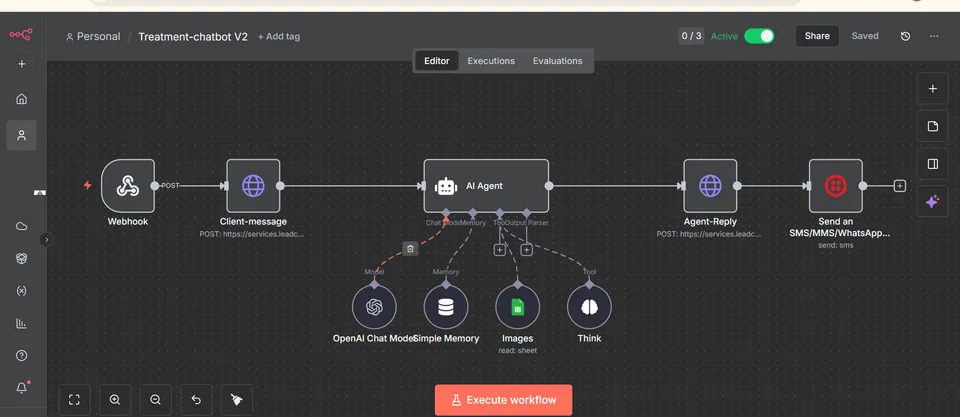
- Receives customer support requests from website forms, Gmail, and WhatsApp
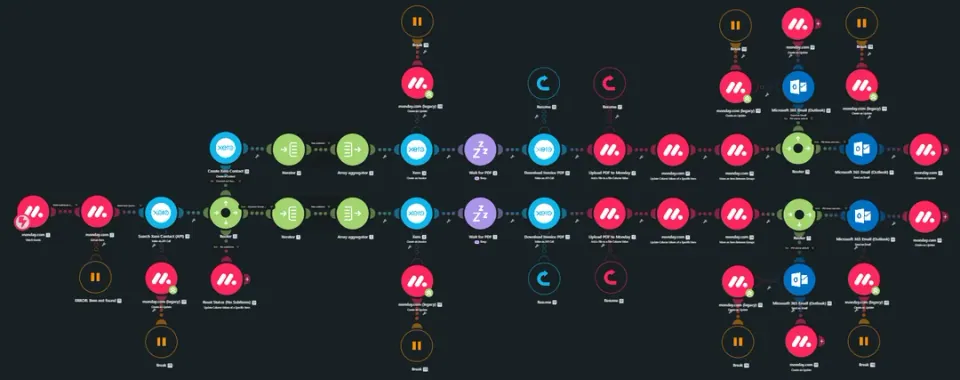
- Searches CRM records to identify existing customers
- Creates new customer records when required
- Retrieves previous support tickets and customer history
- Cleans and normalizes incoming customer messages
- Classifies support requests using AI
- Detects issue category, urgency, sentiment, language, and required department
- Identifies critical risks such as security issues, outages, legal complaints, and repeated unresolved problems
- Calculates a weighted priority score for every support request
- Routes tickets based on critical, normal, or low priority levels
- Creates structured support tickets automatically in the CRM
- Creates dedicated Google Drive folders for ticket attachments
- Uploads customer screenshots, PDFs, and supporting documents
- Searches the Notion knowledge base for relevant support information
- Evaluates whether the available knowledge is sufficient for an automated response
- Generates customer responses using AI and available support documentation
- Validates responses before sending them to customers
- Sends replies through Gmail or WhatsApp based on the original communication channel
- Sends uncertain tickets to the support team for human review
- Escalates critical support issues immediately through Slack
- Assigns tickets to the correct support department or agent
- Calculates SLA deadlines according to ticket priority
- Monitors open tickets for approaching SLA deadlines
- Sends SLA warning notifications to the support team
- Sends customer follow ups when responses remain pending
- Closes resolved tickets and generates AI resolution summaries
- Sends customer satisfaction requests after successful resolution
- Updates support analytics and operational records automatically