
Loading
Skip to content

A delivery process without surprises

Most automation projects go wrong in the gaps: unclear scope, untested edge cases and a handover nobody can follow. This is how I close those gaps, step by step, with what I need from you and what you get at each stage.

  1. 01

    Discovery & requirements

    Understand the goal, the current setup and what “done” looks like.

    We talk through the business problem, the tools you already use and the people affected. I ask about edge cases early: what happens when data is missing, a lead replies at midnight, or an API is down.

    What I'll need from you

    • A short description of the problem and the goal
    • Which tools and accounts are involved
    • Who makes decisions and who will use the system

    What you get

    • A clear problem statement
    • Early questions and risks, raised up front
    • A view on whether automation, custom software or both fits
  2. 02

    Architecture & plan

    Map the data flow, integrations and failure points before building.

    I map how data moves between systems, where it can fail and how each failure is handled. You get a written scope and plan to agree on before any build starts.

    What I'll need from you

    • Feedback on the proposed flow
    • Sample data or example records
    • Confirmation of scope and priorities

    What you get

    • A workflow / architecture map
    • A written scope: what's in and what's out
    • An estimate and milestones
  3. 03

    Build & integration

    Implement in small, reviewable pieces inside your accounts.

    I build in your accounts, or in a staging copy where the tools allow it, in increments you can see. Naming, notes and structure stay consistent so the system remains understandable as it grows.

    What I'll need from you

    • Access to the required accounts and tools
    • Answers to questions as they come up

    What you get

    • Working pieces to review as they're ready
    • Progress updates at the agreed milestones
  4. 04

    Testing & edge cases

    Prove it works on realistic data, including the awkward cases.

    Each main path is tested with realistic data, then the edge cases: duplicates, missing fields, odd formats, API errors and timeouts. Error handling, retries and alerts are checked, not assumed.

    What I'll need from you

    • Help defining realistic test scenarios
    • Time to try it yourself before launch

    What you get

    • The test scenarios and their results
    • Fixes for anything that fails
  5. 05

    Deployment & handover

    Go live deliberately and leave you in control.

    We agree a go-live moment, switch it on and check the first real runs. Handover covers how the system works, what to check if something stops, and how to make changes safely.

    What I'll need from you

    • A go-live window
    • The people who will own the system day to day

    What you get

    • The live system, running in your accounts
    • Handover documentation
    • A walkthrough of the build
  6. 06

    Support & iteration

    Improvements once real usage shows what's next.

    Real usage usually reveals improvements. Ongoing support, changes and new phases can be scoped separately, so you only commit to what you actually need.

    What I'll need from you

    • Feedback from the people using the system

    What you get

    • A scoped proposal for follow-on work, if you want one

Inputs, communication and handover

What helps me start

  • A decision-maker who can confirm scope and priorities
  • Access to the relevant accounts (CRM, n8n, voice platform, APIs)
  • Sample data, scripts or documents the system should use
  • Someone to test with before go-live

How we communicate

  • Written updates at the milestones agreed in the plan
  • Questions raised as they come up, not saved for the end
  • Calls when a decision is easier to make live
  • For white-label work: client contact handled the way your agency prefers

What you receive at handover

  • The live system in your accounts, with credentials you control
  • A map of the workflows or architecture
  • Notes on what each part does and what it depends on
  • What to check first if something stops working
  • A walkthrough so your team can make safe changes

Timelines, communication cadence and any post-launch support are agreed per project in the written scope. Nothing here is a fixed package.

Abdullah Bukhari
Full-Stack .NET Engineer & AI Automation Architect

Ready to map out your project?

The first step is a conversation about the problem. You'll leave it with a clearer picture of what to build, whether or not we work together.

bukhariabdullah034@gmail.com

Work you can inspect

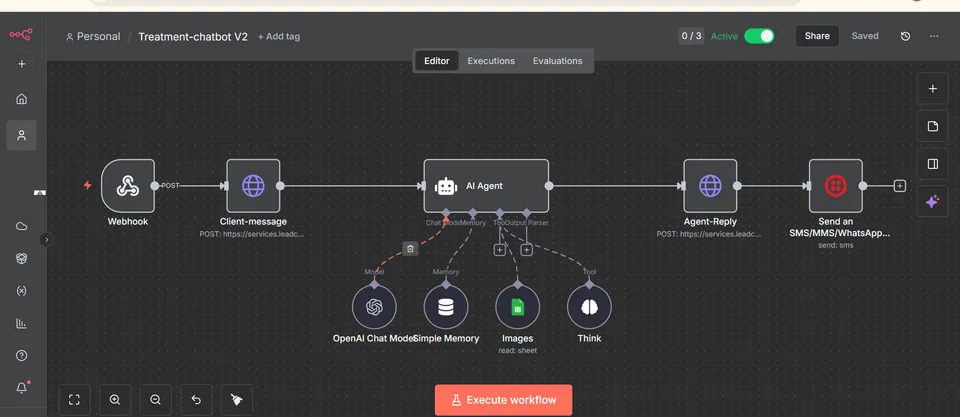
  • Lead Handling & Appointment Booking Chatbot: Chatbot
    n8n

    Lead Handling & Appointment Booking Chatbot

    Built a chatbot for a skin treatment clinic to handle leads coming from Facebook Ads and GoHighLevel.

    Read case study
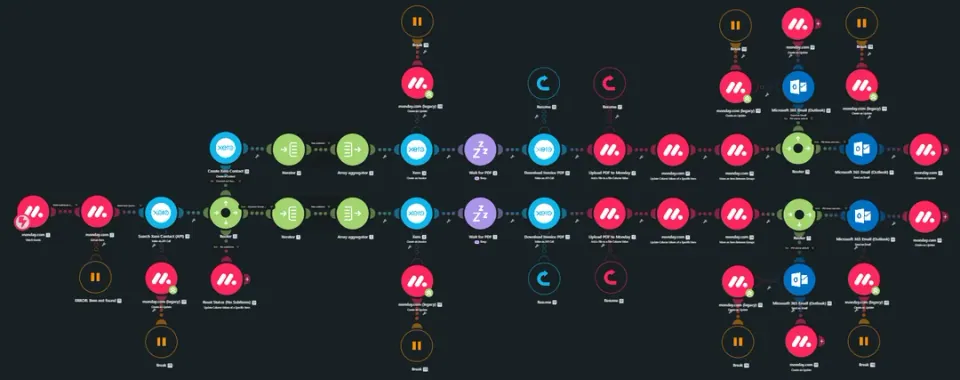
  • Automated Xero POs, Invoices & Bill Attachments from Monday.com: Automated Xero POs, Invoices & Bill Attachments from Monday.com(1)
    Make

    Automated Xero POs, Invoices & Bill Attachments from Monday.com

    Built an automated finance workflow that connects Monday.com with Xero to automate purchase orders, client invoices, supplier invoices, and bill attachments.

    Read case study
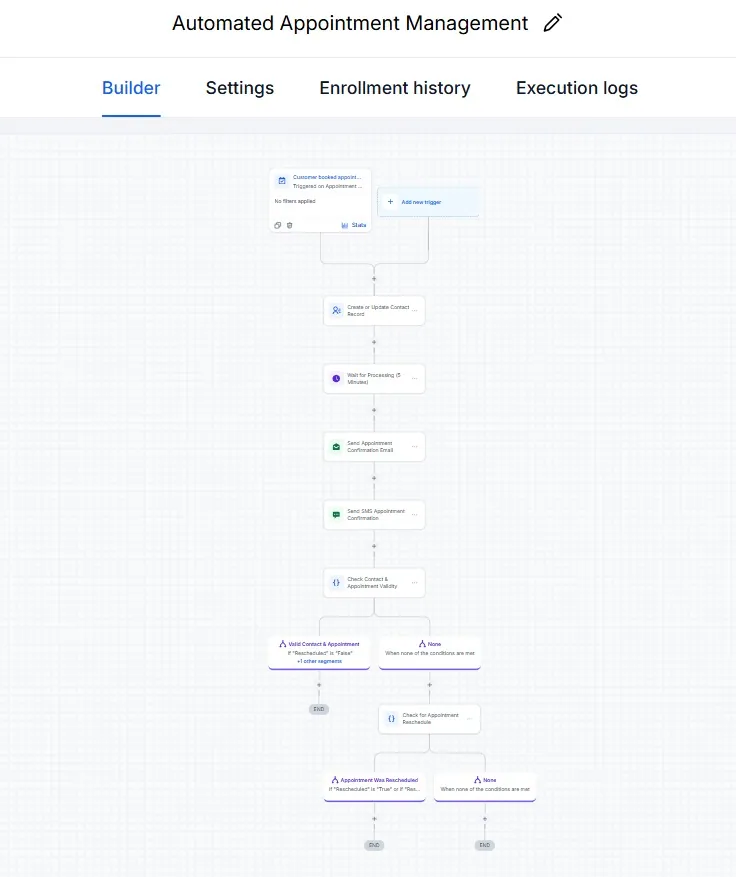
  • Automated Appointment Management: Appointment Booking
    GoHighLevel

    Automated Appointment Management

    Runs when a customer books an appointment. It creates or updates the contact, confirms the booking by email and SMS, checks that the contact and appointment are valid,…

    Read case study

What happens after you book: 1. We talk for 30 minutes. 2. I map the process and recommend an approach. 3. You decide.